Trestle Admin
Internal Tools: Building with Trestle Admin
At CaterCow, the Trestle admin framework is the backbone of our internal operations. It provides a powerful and flexible interface for a wide range of administrative tasks, from day-to-day operational management to high-level content and data administration. These admin pages are not just simple data tables; they are sophisticated tools that empower our team to manage customer orders, onboard new restaurants, handle payments and deliveries, and much more.
Why Trestle?
Trestle, enhanced with Vue components for dynamic interfaces, was chosen for several key reasons that make it an ideal solution for our Rails application.
Productivity through Simplicity: Trestle's declarative DSL (Domain-Specific Language) allows developers to generate a vast amount of functionality with very little code. Defining a table of data or a set of filter scopes can be done in just a few lines, abstracting away the complexity of the underlying HTML, CSS, and JavaScript.
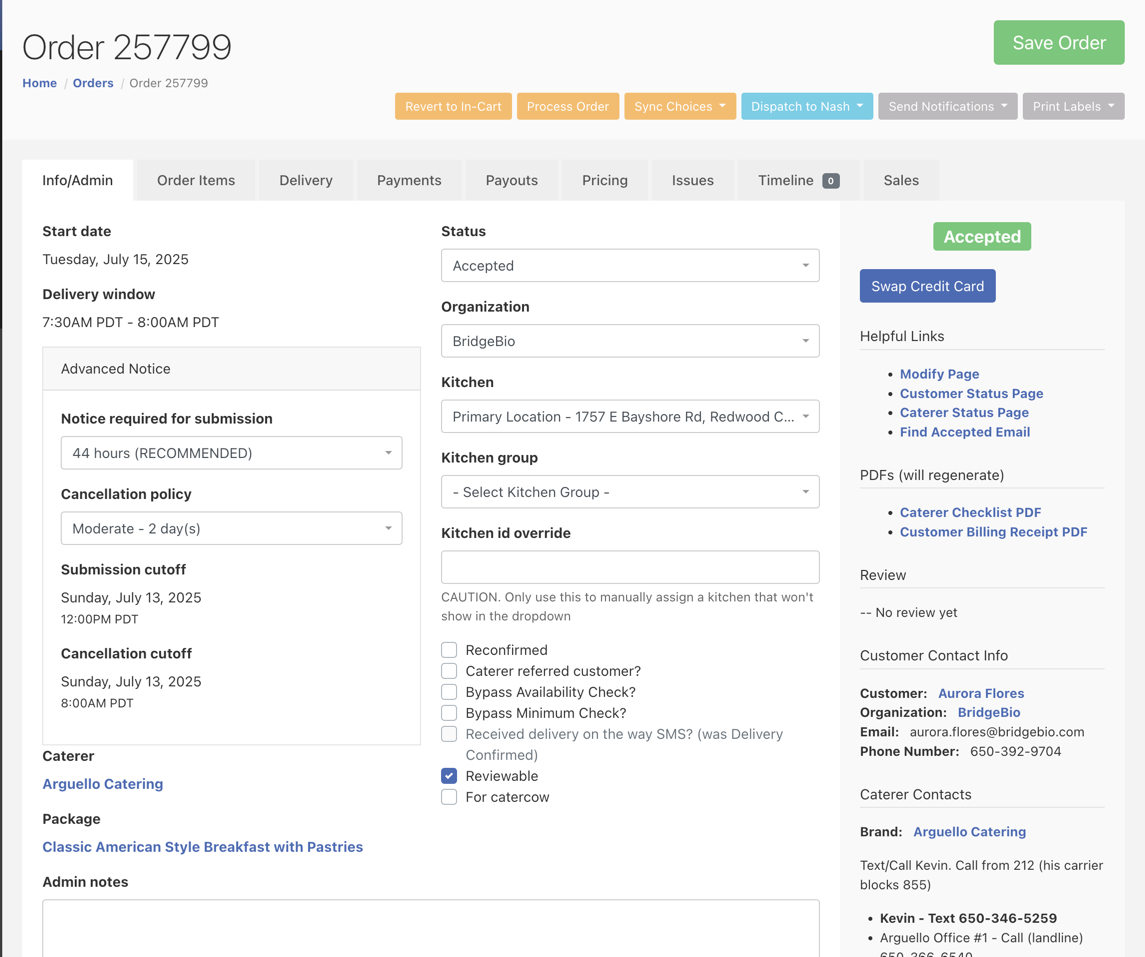
Structured & Organized UIs: The framework provides excellent tools for organizing complex pages. The
orders_admin.rbfile, for instance, organizes a massive amount of information and functionality into a clean, tabbed interface (:info,:order_items,:delivery,:payments,:payouts,:pricing, etc.). This structure, further refined withpanel,row, andcolhelpers, makes even the most data-dense pages manageable and intuitive for users.# From: orders_admin.rb form do |order| tab :info, label: 'Info/Admin' do # ... fields ... end tab :delivery do # ... fields ... end tab :payments do # ... fields ... end # ... other tabs end
Seamless Customization: While Trestle provides strong conventions, it doesn't lock you in. It is straightforward to break from the standard patterns when necessary. By using a
controllerblock, developers can write any custom Ruby code, define new actions, and interact with the full scope of the application. This is essential for triggering complex business logic that goes beyond simple CRUD operations.Core Application Integration: Trestle resources are an integral part of our core Rails monolith. This is a critical advantage. Admin functionality can directly and easily leverage the application's entire ecosystem, including models (
Order,Package), helpers (number_to_currency), business logic services (ProcessOrder,SyncPackageMenu), and routing (admin.path(...)). There is no need for separate APIs or data synchronization, which dramatically simplifies development and reduces overhead.
Anatomy of a Trestle Resource
A Trestle resource is defined in a single file within the app/admin directory, such as app/admin/orders_admin.rb. Analyzing these files reveals a consistent set of patterns for native Trestle features.
Resource Definition and Index Page
The entire definition is wrapped in a Trestle.resource block. The first parts of this block typically configure the "index" page.
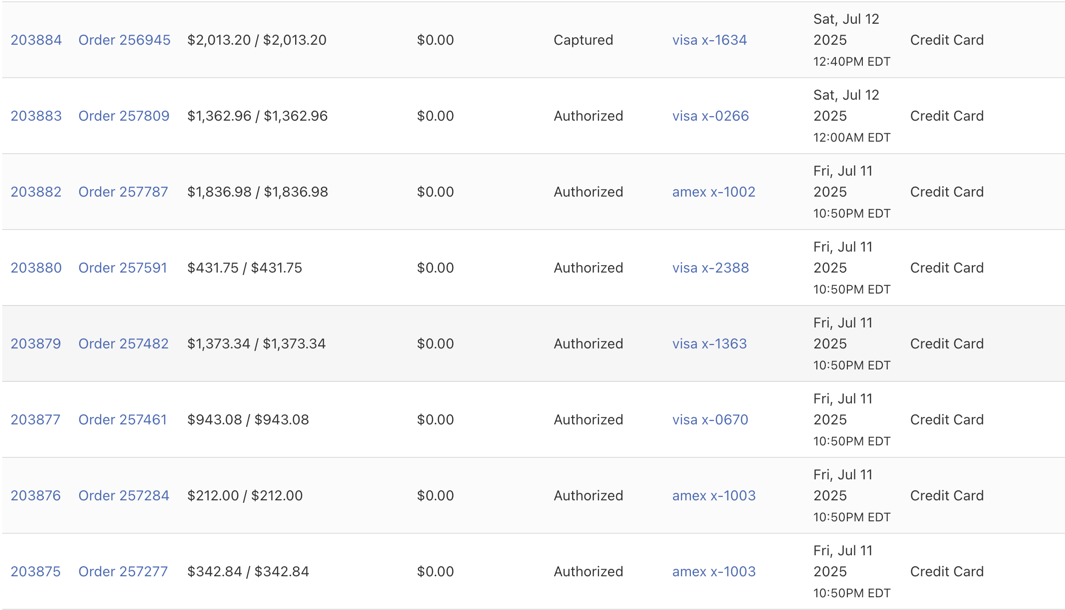
collection: Defines the base ActiveRecord query for the resource's index page. This is the place to.includesor.joinsrelated models to prevent N+1 queries.table: Defines the columns that appear on the index page. You can customize headers, sorting behavior, and how the data is displayed.# From: payments_admin.rb table do column :id column :order # Custom display logic using a helper column :amount, header: 'Amount / Authorized Amount', sort: :amount do |payment| [payment.amount, payment.authorized_amount] .map(&method(:number_to_currency)) .join(' / ') end column :status_string, sort: :status, header: 'Status' actions # Standard edit/delete actions end
scopes: Defines preset filters that appear as buttons above the main table. This allows for quick access to common data segments (e.g., "Submitted", "Pending", "Canceled" orders).
The Form/Show Page
The form block configures the "edit" and "show" views for an individual resource instance.
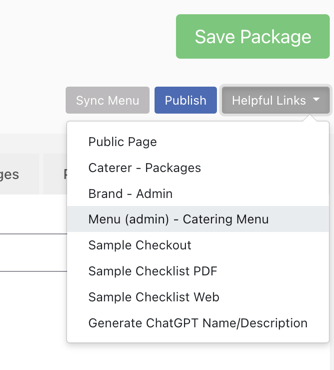
toolbar: Adds custom action buttons to the top of the page. These buttons often trigger custom controller actions. Dropdowns can be used to group related actions.
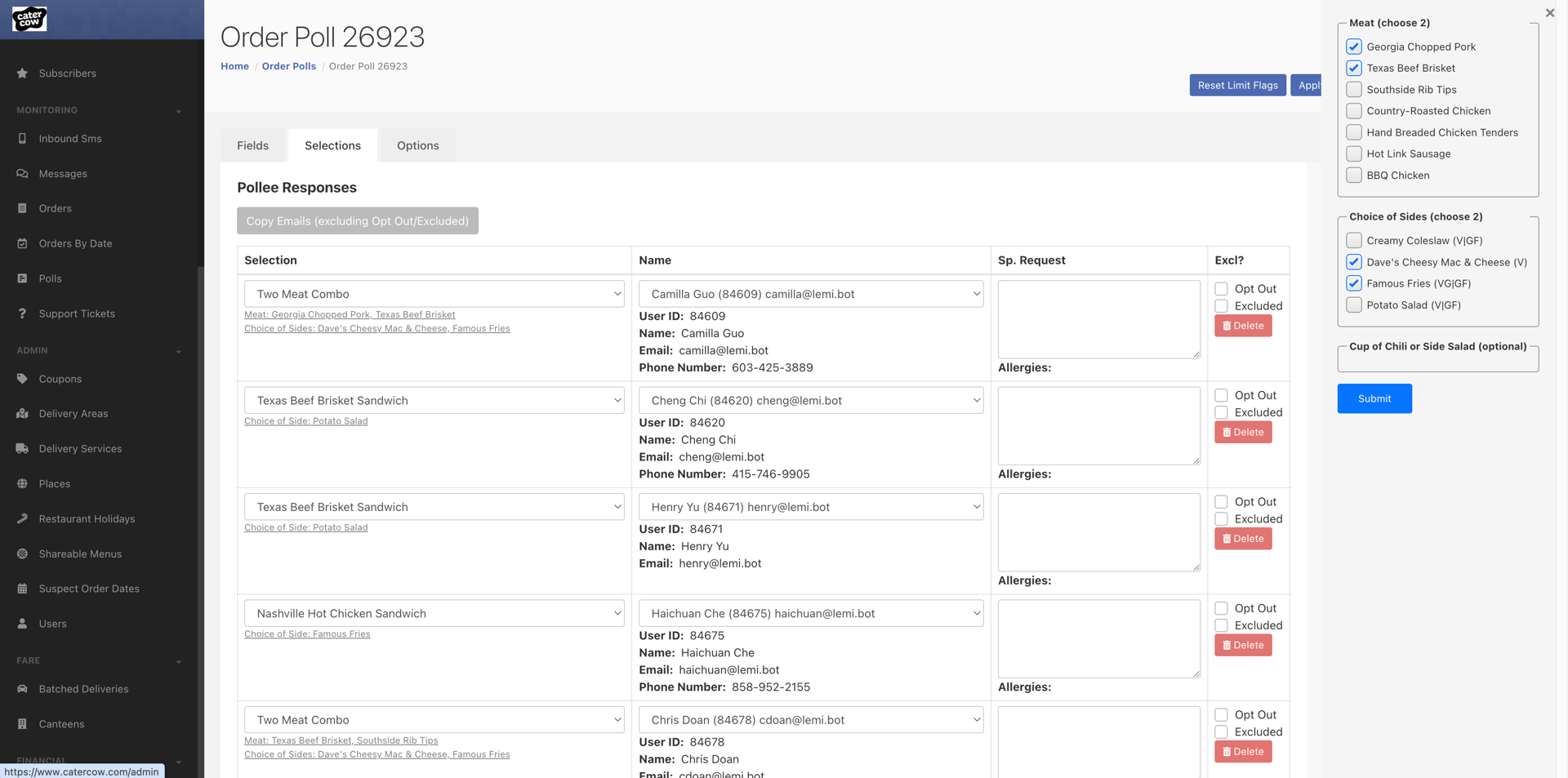
Fields & Layout: A rich set of helpers (
text_field,select,static_field,tab,panel,row,col, etc.) are used to build and structure the form logically.Partials & Vue Components: For highly complex or reusable UI sections, the form can render standard Rails partials (
render partial: '...') or embed interactive Vue components. This is a powerful pattern for creating dynamic UIs that Trestle's standard form builders can't accommodate.
Custom Actions and Logic
When a simple form submission is not enough, custom views/controllers can be used to build interactive pages and custom logic.
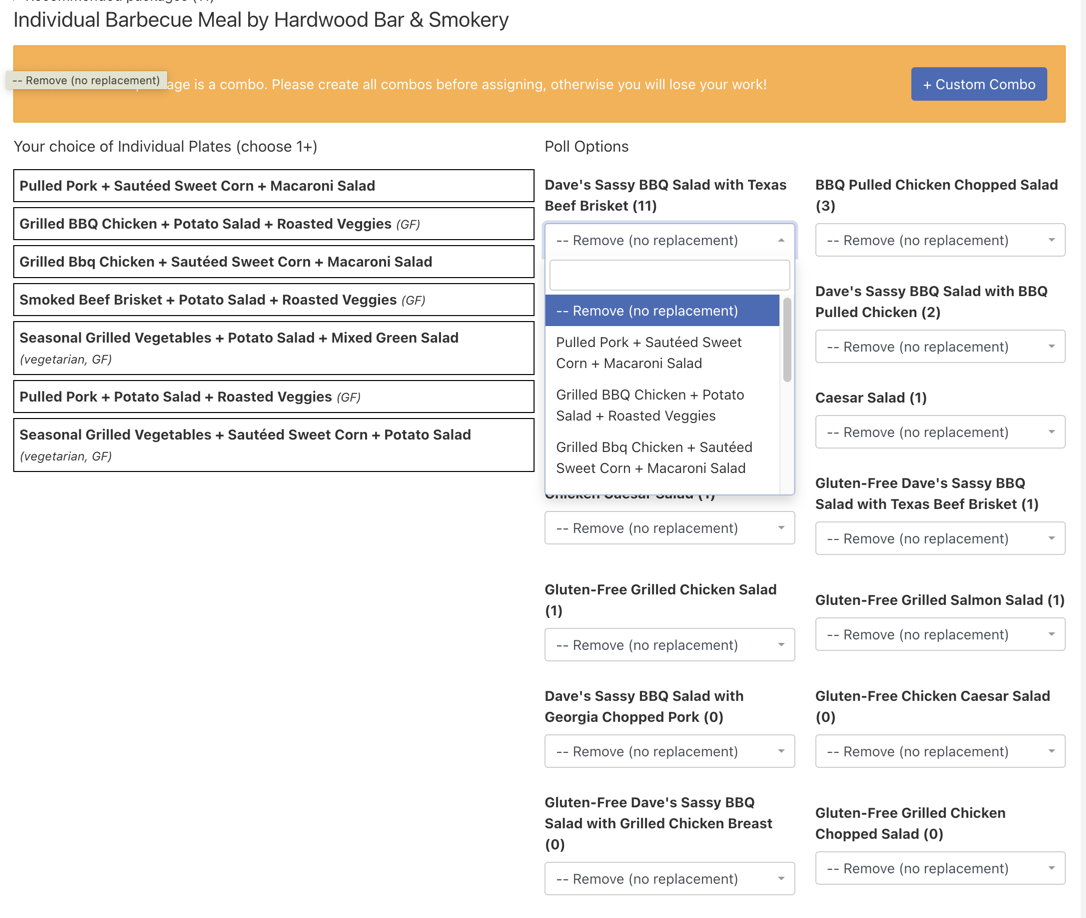
controller&routes: These two blocks work together. Thecontrollerblock is where you define methods that contain your custom logic. Theroutesblock makes these methods accessible via HTTP requests, typically POST requests triggered by buttons in thetoolbar. This is the standard pattern for actions like "Process Order," "Sync Menu," or "Send Reminder."
Extending Trestle: CaterCow's Custom Patterns
Trestle's flexibility allows us to build our own abstractions on top of its foundation. At CaterCow, we use custom helpers, included via a TrestleHelper module, to enforce consistency and simplify common tasks. Note: The following patterns are custom to our application and not provided by Trestle out of the box.
Custom DSL for Forms: search_form
To standardize the creation of filters, we've built a custom search_form helper. This method provides a simple DSL for defining search fields. While the code looks like a native Trestle feature, it's a custom implementation that generates the necessary form parameters for our backend search logic (Ransack). This keeps the admin resource files clean and declarative.
# From: polls_admin.rb
# This uses a *custom* helper, not a built-in Trestle feature.
search_form do
  text_field :user_name_cont, label: 'Customer Name'
  text_field :user_email_cont, label: 'Customer Email'
  select :order_managed_eq, boolean_options, label: 'Managed?'
  select :package_id_null, [['Any', nil], ['Full-Menu Orders Only', true], ['Package Orders Only', false]], label: 'Order Type'
end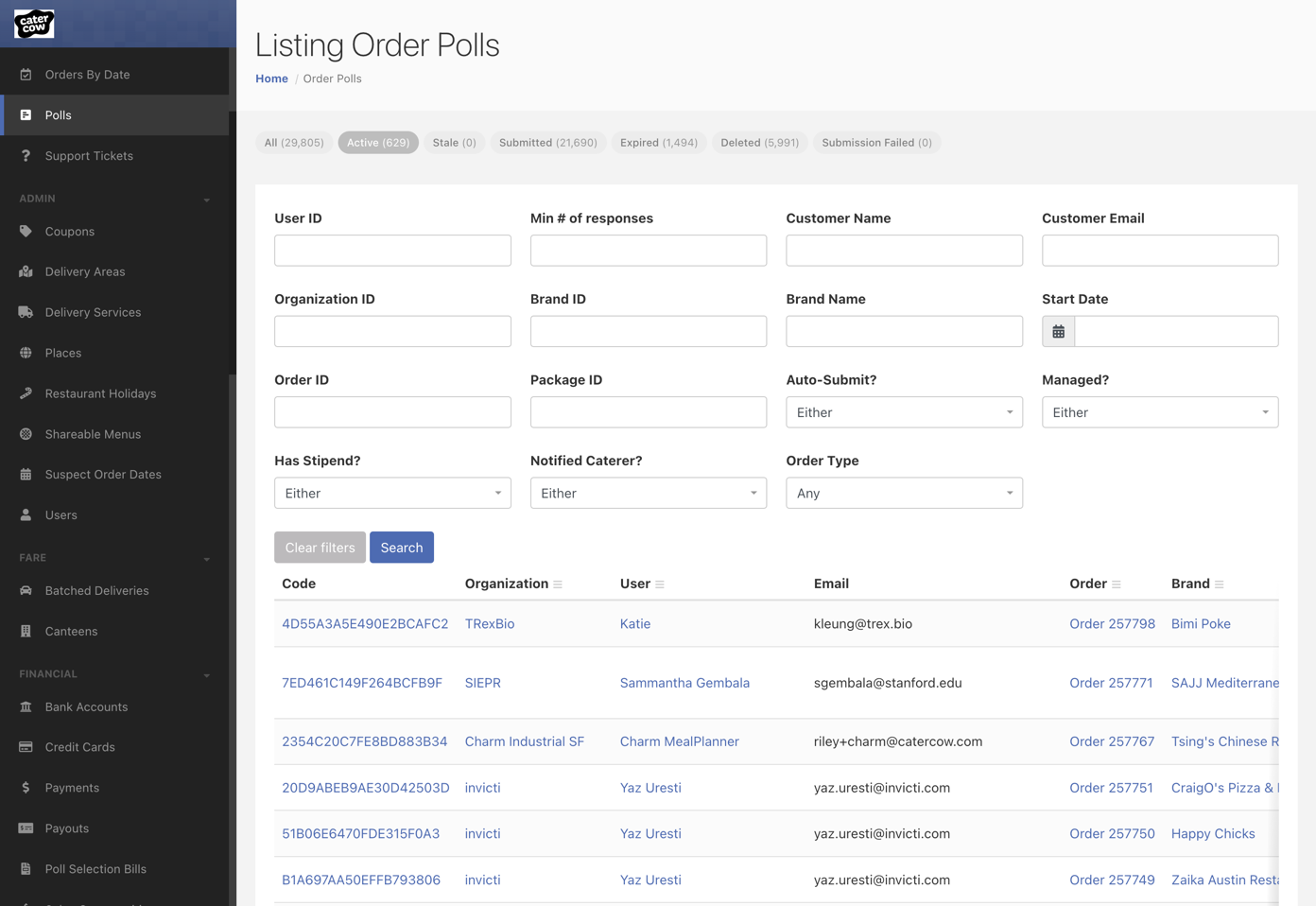
Standardizing Controller Logic: wrap_command
To ensure business logic is executed consistently and controller code remains lean, we use a custom wrap_command helper. This method encapsulates the "Command Pattern," a design pattern we use for complex operations. It takes a business logic class (e.g., ProcessCreditCardPayment), runs it with the necessary parameters, and handles the success or failure cases by setting the appropriate flash message and redirecting. This prevents code duplication and standardizes how actions are performed across all our admin resources.
# From: payments_admin.rb
# This uses a *custom* controller helper, not a built-in Trestle feature.
def process_and_charge
  wrap_command(
    ProcessCreditCardPayment,
    message: 'Payment was processed!',
    sync: true
  ) do
    {
      payment: @payment,
      capture: record.order.processed?
    }
  end
end
Integrating Vue Components
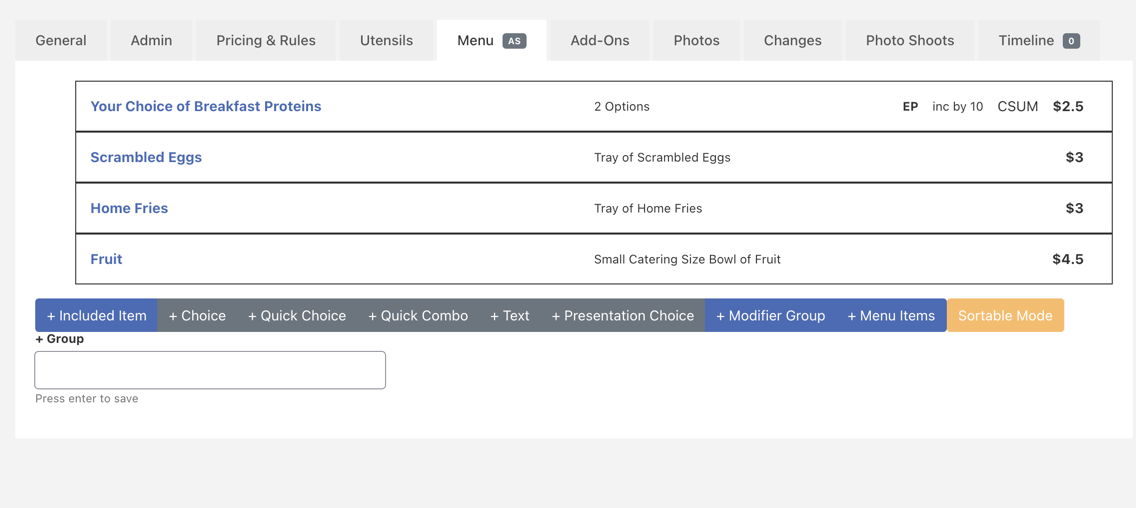
For highly interactive features where Trestle's form builders are insufficient, we embed Vue 3 components directly into admin pages. A prime example is the menu editor in packages_admin.rb. We use custom helpers (vue_wrapper, vue_component) to serialize the required Rails models into JSON and bootstrap the Vue application. This approach gives us the best of both worlds: the rapid development of Trestle for 90% of the UI, and the power of a modern JavaScript framework for complex, stateful components.
# From: packages_admin.rb
tab :menu, badge: 'AS' do
  vue_wrapper(
    # ... data passed as props to Vue ...
  ) do
    vue_component(
      'package-menu-edit', # The name of the Vue component
      bind: { ... }
    )
  end
end